Originally Posted On: https://studycat.com/blog/how-to-choose-the-best-children-s-spanish-language-app-for-your-child/
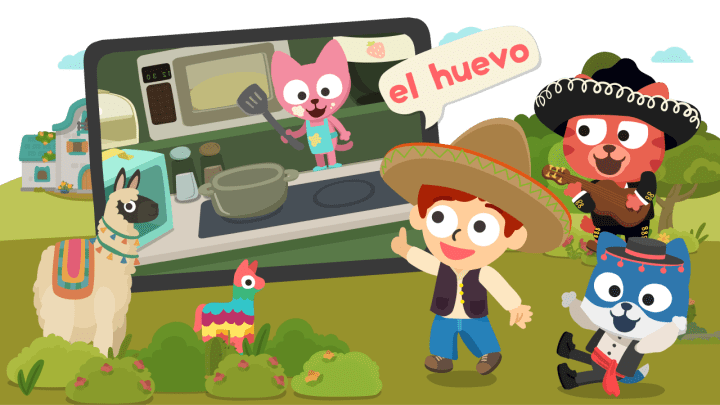
Set clear goals: expect everyday words, better listening comfort, and a habit of regular practice rather than instant fluency. Think about your household needs: time you can commit, offline access, and whether multiple kids will share one account. (Because yes… sharing one device is its own sport.)
In this roundup, you will compare immersion versus translation, speaking practice, game design, tracking, safety, and family flexibility. I’ll include big-name platforms and kid-focused tools like Studycat, so you see both broad and tailored options. If you’re specifically trying to pick a children spanish language app, I’m going to keep it practical and very parent-brain.
Quick promise: first a short how-to checklist, then science-backed features, then an app-by-app breakdown to help you decide with confidence. And if screen time has to earn its keep in your house, you’re in the right place.
Key Takeaways
- Focus on steady, playful learning over instant perfection.
- Match your choice to household time and sharing needs.
- Prioritize native audio, speaking practice, and safety features.
- Look for offline access if you travel or limit screen time.
- Compare immersion vs. translation to fit your teaching style.
- Studycat is included as a kid-focused option worth checking.
What You Actually Want From a Kids’ Spanish App (Before You Download Anything)
Before you tap Download, figure out what real progress looks like for your child at home. Pick one or two practical goals: more everyday vocabulary, clearer pronunciation, confidence to speak, or readiness for a dual-immersion class. Small wins help you track real gains without pressure.
Set a realistic daily time target—5–10 minutes beats a once-a-week marathon every time. Short, repeatable sessions build habit and steady learning. And honestly, if an app can’t fit into that “tiny slot” in your day, it probably won’t last past week two.
Why play beats pressure
High motivation and low anxiety accelerate second-language acquisition. If an activity feels like homework, many kids tune out. The best tools make practice feel like a game so your child stays curious and confident. This is why I’m always scanning for truly fun kids spanish language apps instead of “cute, but secretly stressful” ones.
Quick checklist to guide your choice
- Define success: everyday words, clearer speech, brave speaking, or school readiness.
- Pick a routine: 5–10 minutes daily for steady progress.
- Start with basics: food, family, animals—familiar topics stick.
- Age check: match lesson length to your child’s attention span so they use the program beyond day three.
- Look for playful practice: Studycat is an example that keeps learning playful rather than drill-heavy.
- Confidence counts: if your kid repeats words out loud, you’re on the right track. Later sections show which tools favor playful practice versus test-driven drills.
One extra “parent sanity” tip: before you do any children spanish language Android download, peek at screenshots for ads, social features, and anything that looks like a rabbit hole. Kid-focused should feel calm, contained, and age-appropriate.
Science-Backed Features That Make Language Learning Stick
Science shows that a few core features make second-language acquisition actually stick, not just feel like busywork. You want tools that give your kid meaning first, then form. (Translation: don’t expect perfect sentences on day five. Let it build.)
Comprehensible input
Comprehensible input means your child gets the gist without needing to know every word. The brain maps sounds to meaning from context, pictures, and repetition. When visuals are clear, and the audio is consistent, learning feels weirdly effortless—like your kid “just gets it.”
Why grammar comes later
Pushing grammar too soon can stall progress. Lots of exposure to words and meaning makes correct sentences come naturally later. For young kids, especially, listening + repeating simple phrases is the whole game.
Low-stress learning
Fun matters. If your kid is tense or bored, learning slows. Low-pressure, playful lessons let attention and memory work for you. Studycat aligns with this approach by avoiding timers and heavy testing, favoring short, kid-first practice.
Stories and the silent period
Stories organize new words into memorable scenes. Facts stick better when tied to a story, which makes illustrated stories powerful for learners.
The silent period is normal: lots of listening and pointing is real progress even before speaking starts. If your child is absorbing quietly, that’s not “nothing”—it’s the setup.
Feature
What it does
What to look for
Comprehensible input
Maps meaning from context
Clear audio, visuals, simple speech
Low-stress design
Boosts motivation and retention
Games, no high-stakes tests, positive feedback
Story-based lessons
Links words to scenes and memory
Illustrated stories, repeatable narratives
Silent period support
Allows listening to build comprehension
Plenty of input, no pressure to speak
Children’s Spanish Language App Comparison: What to Look for in a Great Option
Before you decide, check these practical features that make some programs actually work. Use this as a quick checklist when scanning descriptions and screenshots in a store listing. You’re not just picking an app—you’re picking a routine your child can tolerate. That’s the real filter.
- Immersion vs. translation: Immersion means teaching in the target speech so meaning comes from pictures and context. That speeds understanding over time, but strong visuals matter, so your child isn’t lost. Studycat is an example of Spanish-only immersion that pairs clear images with speech.
- Speaking practice: Look for prompts that push full words and short phrases. Basic pronunciation feedback or “try again” cues help kids experiment without pressure. Studycat’s VoicePlay™ gives instant on-device feedback.
- Games and progress: Good mini-games recycle the same vocabulary in varied ways. Motivation tools—streaks, levels, mastery—help some kids (Duolingo tracks words and streaks) but can stress others, so match features to your child.
Must-have
What to check
Kid-safe
Ad-free, no social features, age-appropriate content
Family profiles
Multiple learner profiles for siblings or caregivers (Studycat supports up to four)
Offline access
Full lessons downloadable for travel and low-connectivity moments
Best Children’s Spanish Language Apps Right Now: Product Roundup
Here’s a quick product roundup so you can scan who each option fits and what makes it stand out. I’m not trying to crown one “winner” for every kid—just helping you narrow down fast.
Studycat — Learn Spanish by Studycat
Best for immersion and early speaking. Studycat uses a Spanish-only virtual immersion with interactive speaking challenges. VoicePlay™ gives instant, on-device feedback so your child can try full words and short phrases.
Why it stands out: ad-free, up to four profiles, offline lessons, and designs by early-education experts make it kid-first for ages 3+. (Product pages position it for ages 2–8, which is usually how families think about it anyway.)
FabuLingua
Best for story lovers. Interactive illustrated stories with mini-games on each page keep learning playful. CopyCat mode records short segments so kids repeat phrases out loud and build confidence.
Duolingo
Best for older kids and tracking progress. Game-based practice covers reading, writing, listening, and speaking. It switches between the target and native tongue and offers streaks, mastery, and word-tracking for motivated families.
Endless Spanish
Best for fast, silly introductions. Short clips feature goofy monsters acting out common words. Bright animation and animated letters work well for short attention spans.
Little Pim
Best for toddlers and preschoolers. Video-based lessons teach everyday words (about 360) and focus on essentials you can use at home right away.
Gus on the Go
Best for predictable, bite-sized lessons. Classic story adventures with ten short lessons, interactive games, and a simple structure that helps steady progress.
Spanish for Kids and Beginners-style apps
Best as a vocabulary booster. These offer picture dictionaries, alphabet A–Z, topic-based lessons, and many mini-games for matching, listening, and puzzles. Use them to supplement stories and spoken practice. If you’re trying to choose a single fun children spanish language app, prioritize the one your kid will open tomorrow without a debate.
Studycat Spotlight: Why It’s a Strong Pick for US Families
If you want an immersion-first tool that fits busy life, Studycat is worth a close look. It teaches Spanish by using Spanish only, which mirrors how young children pick up speech: lots of listening plus clear visuals and action to show meaning.
Designed for young learners and built by experts
Studycat is made for ages 3+ with simple navigation, big visuals, and short activities that match short attention spans. This supports modern language learning principles like comprehensible input and low-stress repetition. It’s also designed for independent use, so you’re not stuck reading instructions aloud like it’s story time (unless you want it to be story time).
Parent-friendly, safe, and ready offline
Up to four profiles let siblings follow separate paths and track progress. Offline access lets you download lessons for the car line or for travel. The content is ad-free, so your child stays focused on learning, not being redirected. If you’re browsing for fun children spanish language apps, this combination of “kid-first + offline + ad-free” is one of those underrated quality-of-life wins.
Safety-first note (because I’m that parent): Studycat is kidSAFE-listed and ad-free, and VoicePlay™ is described as running on-device with no voice data uploaded or stored. That doesn’t magically solve everything, but it’s exactly the sort of baseline I want before I let an app become a daily habit.
Real speaking practice that builds toward sentences
Interactive speaking challenges and VoicePlay™ give instant on-device feedback. That nudges kids from recognizing words to saying full phrases and simple sentences over time. The goal isn’t “perfect”—it’s “willing to try,” and then “willing to try again.”
Choosing the Best App by Age, Attention Span, and Learning Style
Pick an app style that matches your child’s age and attention span, not the flashiest screenshots. That simple step saves you time and helps your child form a steady learning habit. If you’ve ever watched a kid bounce off an app in 90 seconds, you already know what I mean.
Preschool and early learners
Short lessons, big visuals, and everyday words win. Look for video-based or game-driven options that repeat basic vocabulary and keep sessions under ten minutes.
Good fits: Little Pim for under-6 viewers, or Studycat for bite-sized immersion games that encourage speaking and play.
Early elementary
At ages 6–9, stories and repeated exposure help kids move from single words to short sentences. Interactive tales let them learn phrases in context.
Good fits: Story-based options like FabuLingua that combine narrative, characters, and repeat practice.
Motivation and structure
Some kids thrive on clear levels and progress bars. Others need novelty—mini-games and changing characters—to stay engaged.
Watch for overload: too many new words at once hurts retention. Use the first week as a trial. If your child asks to return without prompting, you likely picked the right option.
Child age
Best lesson style
Example options
Under 3–5
Short videos, big visuals, repeat vocab
Little Pim, Studycat
6–9
Story-driven lessons, characters, repeated phrases
FabuLingua, study/story hybrid apps
Household needs
Multiple profiles, offline lessons, varied games
Studycat (profiles, offline), story apps for solo play
How to Get Better Results With Any Language Learning App
Short daily steps are the easiest way to make real progress without stressing your schedule. Small, consistent sessions create habit and steady gains. Aim for five minutes on busy days and 10–15 when you can. (Yes, “busy days” is basically… most days.)
Set a realistic routine
Make a routine that fits your week. Even 5 minutes per day beats a skipped hour-long session once a week.
Tip: pick a trigger—after breakfast or before bed—so practice becomes automatic.
Mix listening + speaking
Rotate listening-heavy lessons with short speaking drills. Listening builds comprehension first; speaking boosts pronunciation and confidence later.
Apps that support low-pressure speaking challenges help. For example, Studycat removes timers and stays ad-free so kids try words without stress. Pair that with one “real world” moment—labeling food, pets, or toys—and you’ll get more mileage than you’d expect.
Keep it joyful and low-stress
Stop lessons while your child is still eager to learn. Praise effort, not perfection, and avoid turning play into a test.
If boredom hits, switch to a different learning app or pair a story app with a quick vocab game. Normalize ups and downs—silent periods are common in second-language acquisition.
Small habit
Benefit
When to use
5–10 min daily
Builds routine, reduces dropout
Busy weeks, travel days
Mix listen + speak
Improves comprehension and pronunciation
Weekly rotation of lesson types
Rotate apps
Prevents boredom, broadens exposure
When interest drops or progress stalls
Conclusion
Choose the tool your kid will actually open. Consistent, playful practice beats a perfect feature list every time. Make one clear routine and stick to it for real progress.
Non-negotiables: pick a kid-safe, ad-free option that matches age and repeats core vocabulary. Favor programs that use stories, low-stress drills, and plenty of listening before heavy grammar work.
Try 1–2 language learning apps for a week each. Watch for engagement, willingness to speak, and steady progress. Studycat is a top contender for many US families — it uses immersion, speaking feedback, up to four profiles, ad-free lessons, and offline access, which suits ages 3+ and busy households.
Next step: pick your top choice, schedule a tiny daily practice, and let confidence grow through fun. If you want a simple place to start browsing kids spanish language apps, you can start there and then compare the features above like a checklist.
FAQ
How do I pick the best kids’ Spanish learning app for my child?
Look for apps that match your child’s age and attention span, offer short playful lessons, and focus on vocabulary, pronunciation, and confidence. Prioritize ad-free, kid-safe designs with parent controls, multiple learner profiles, and offline access so learning can happen anywhere.
What should I expect a successful app to deliver?
Success can mean different things: useful vocabulary, clearer pronunciation, greater spoken confidence, or better school readiness. Choose an option that measures progress in ways you value—like speaking prompts, mastery levels, and simple tracking—rather than just scores.
Why should a learning product feel like play, not pressure?
Low-stress, game-like experiences help young learners stay curious and repeat practice. When lessons use stories, mini-games, and rewards, children absorb new words naturally and keep coming back without feeling tested.
What science-backed features make language learning stick?
Effective tools use comprehensible input (meaning before perfect grammar), plenty of listening time, storytelling, and spaced review. These methods support second language acquisition and help vocabulary move from short-term to long-term memory.
What is the “silent period” and should I worry about it?
The silent period is a normal stage where a learner listens more than they speak. It’s useful—your child builds comprehension first. Encourage gentle speaking practice, but don’t rush corrections during this phase.
Should I choose immersion or translation-based apps?
Immersion helps children think in the target language and often speeds up learning. Translation can be helpful for quick clarity. If you want faster conversational skills, favor apps that teach primarily through the target language with visual support.
How important is speaking practice and pronunciation feedback?
Very important. Look for speaking prompts, real-time or guided pronunciation feedback, and activities that get your child producing full words and phrases. Those features build confidence and usable speech.
What game design elements actually support learning?
Effective designs use short mini-games tied to learning goals, clear rewards that encourage repetition, levels that show progress, and meaningful practice instead of busywork. Avoid apps with flashy distractions that don’t reinforce vocabulary or structure.
What safety and family features should I demand?
Choose ad-free experiences with age-appropriate content, parental controls, and the ability to create multiple learner profiles for siblings. Offline access and family sharing options are also useful for travel and screen-time management.
Which apps are widely recommended right now?
Popular choices often mentioned are Studycat for virtual immersion and offline use, FabuLingua for story-driven practice, Duolingo for broad skill practice and tracking, Endless Spanish for playful word introductions, Little Pim for video-based basics, and Gus on the Go for story adventures. Picture-dictionary-style apps also help beginners build core vocabulary.
Why is immersion recommended for U.S. families?
Immersion encourages thinking in the new language and boosts real-world speaking faster than constant translation. Apps that teach in the target language with clear visuals and repetition often lead to better retention and fluency over time.
How should I choose an app by age and learning style?
For preschoolers, pick short lessons with big visuals and simple everyday words. Early elementary students benefit from stories and sentence-building. Kids who prefer routine need structured lessons; those who need variety do better with mixed activities and games.
What routine gives the best results with any program?
Small daily practice—10–15 minutes—beats long weekly sessions. Combine listening with speaking prompts and make sessions fun. Consistency and joy are the biggest predictors of steady progress.
Can offline access really make a difference?
Yes. Offline access keeps learning consistent during travel, in restaurants, or anywhere you can’t rely on Wi‑Fi. It removes a barrier so practice stays on schedule.
How do progress tracking and motivation tools help?
Tools like streaks, levels, and mastery markers let your child see wins and stay motivated. They also give you a quick way to monitor gains and adjust the plan if progress stalls.


