Firmware downgrade and cross-flash support brings 4K UHD Blu-ray reading to 17+ Pioneer models
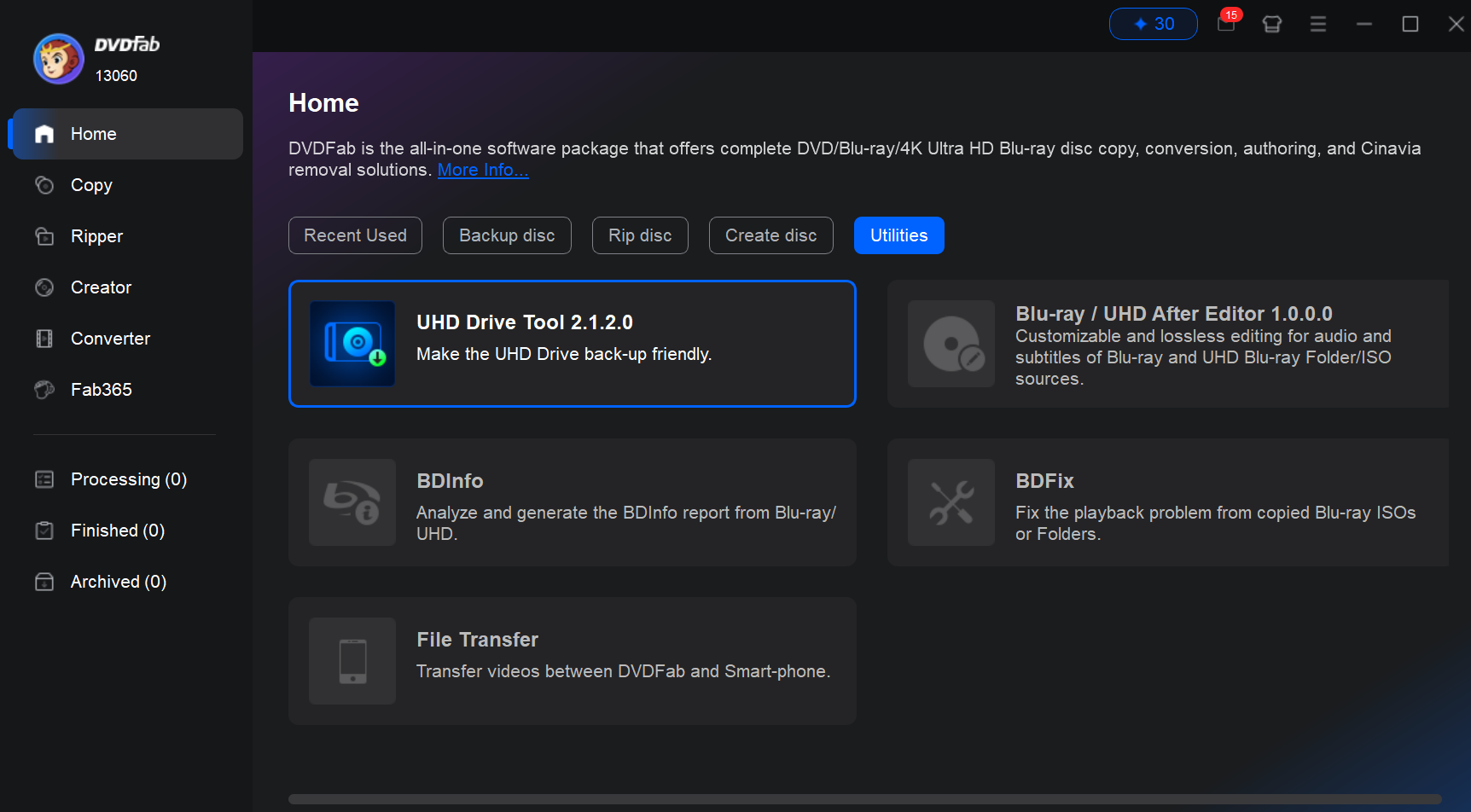
LOS ANGELES, CA, UNITED STATES, May 12, 2026 /EINPresswire.com/ — DVDFab released an update to UHD Drive Tool that adds full Pioneer drive support, giving Pioneer owners a direct path to read and back up 4K UHD Blu-ray discs with hardware they already own. Pioneer is one of the most widely used optical drive brands in home theater and professional AV setups, with a substantial install base among 4K Blu-ray users. This update extends UHD Drive Tool’s firmware management capabilities to Pioneer’s current drive lineup.
About DVDFab UHD Drive Tool
DVDFab UHD Drive Tool is a firmware management utility for 4K UHD Blu-ray drives. Drive manufacturers periodically release firmware updates that disable LibreDrive mode — the feature required for 4K UHD disc reading and backup. UHD Drive Tool reverses those updates, restoring the drive’s full read capabilities.
The tool currently supports drives from LG, ASUS, HP, Buffalo, and Archgon. Pioneer support, added in this update, brings the total to six supported brands. All supported drives are listed at dvdfab.cn/uhd-drive-tool.htm.
How It Works
UHD Drive Tool identifies each connected Pioneer drive by model number, firmware version, and firmware ID, then presents the appropriate action. Three automated scenarios are supported:
• Firmware Downgrade: Applies to drives whose current firmware blocks LibreDrive mode. The tool downgrades to a compatible version in a single guided operation. Affected models include the BDR-XD07UHD, BDR-XS07UHD, BDR-S11 series, BDR-S12UHT, BDR-212UBK, BDR-211UBK, BDR-X12, BDR-X12U, and BDR-S13 series.
• Firmware ID Change: Applies to drives at a supported firmware version but carrying an OEM firmware ID rather than the GENERAL ID required for LibreDrive. The tool rewrites the ID without changing the firmware version.
• Cross-Flash: Applies to non-UHD Pioneer models that share hardware architecture with a UHD variant. The tool flashes the drive to the target model’s firmware, converting it to a UHD-capable configuration. Eligible models include the BDR-XD07TS, BDR-XD07TB, BDR-XS07TS, BDR-S12XLT, BDR-212V, BDR-212DBK, and BDR-X12EBK.
All three operations include a confirmation prompt, real-time progress display, and explicit success or failure reporting. A full model and firmware version reference table is available at https://www.dvdfab.cn/uhd-drive-tool.htm.
Compatible with the Full DVDFab UHD Suite
Once a Pioneer drive is enabled, it works with the complete DVDFab UHD product line: UHD Ripper, UHD Copy, UHD Creator, UHD to Blu-ray Converter, and UHD Cinavia Removal. Existing users whose drives are now supported will find their UHD product trials reset, giving them a fresh window to evaluate the full feature set before purchasing. Pioneer drive support is included in the latest version update at no additional charge. The software runs on Windows 7 through Windows 11 (64-bit).
Getting Started
To check whether a Pioneer drive is supported and apply the appropriate firmware update:
1. Download and install the latest version of UHD Drive Tool from dvdfab.cn/uhd-drive-tool.htm.
2. Connect the Pioneer drive and launch UHD Drive Tool.
3. The tool auto-detects the drive model, firmware version, and firmware ID, and displays the recommended action if one is available.
4. Follow the on-screen prompts to complete the firmware downgrade, ID change, or cross-flash.
5. Restart the computer. The drive is ready for use with any DVDFab UHD product.
About DVDFab
DVDFab has developed disc backup and media conversion software since 2003. Its product line covers 4K UHD and Blu-ray ripping, copying, converting, and playback on Windows and Mac. More information is available at https://www.dvdfab.cn/.
Wenny Yan
DVDFab Software
wenny@dvdfab.cn
Visit us on social media:
YouTube
X
Other
Legal Disclaimer:
EIN Presswire provides this news content “as is” without warranty of any kind. We do not accept any responsibility or liability
for the accuracy, content, images, videos, licenses, completeness, legality, or reliability of the information contained in this
article. If you have any complaints or copyright issues related to this article, kindly contact the author above.

Media gallery